Google Consent Mode v2: Setup Guide for US Marketers
11/09/2026
Marketing Strategy
Protect your ad measurement and user trust with a practical Google Consent Mode v2 checklist for US marketers.

Consent Mode v2 is Google’s way of letting your website tell Google tags what each visitor agreed to, so Analytics and Ads behave accordingly. It adds two signals to the original pair, ad_user_data and ad_personalization, and it only works when a consent banner or consent management platform (CMP) supplies the visitor’s choice. This guide explains what changed, whether it applies to a US business, how Basic and Advanced modes differ, and how to implement and test it without losing the measurement your paid media depends on.


What Consent Mode v2 actually does


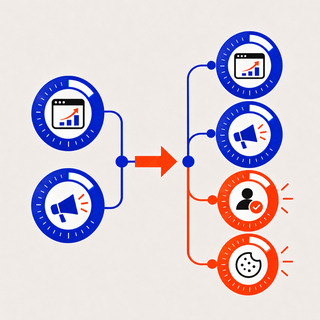
Consent Mode lets a website communicate users’ cookie or app-identifier consent status to Google. Analytics, Ads and other consent-aware tags then adjust their behavior to match, according to Google’s Analytics Help documentation.
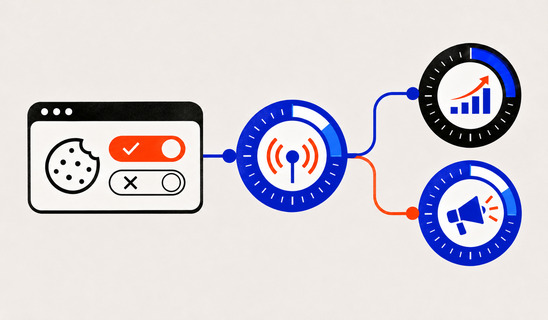
The part that trips teams up: Consent Mode is not a banner. It does not ask visitors anything. Your banner or CMP collects the choice, and Consent Mode carries that choice to Google’s tags. If you have a banner that does not talk to Google tags, you have a banner, not a Consent Mode setup.
Think of it as two layers:
- Consent collection: A consent banner or CMP presents choices, records preferences, and offers a way to change them.
- Consent signaling: Google Consent Mode passes the chosen states to supported tags so collection and ad features respond accordingly.
Getting both layers right matters for marketers because the signals decide what your tags can measure, which audiences can be built and how much conversion data reaches your ad platform.
What changed from v1 to v2
Google’s November 2023 update kept the two original parameters and added two more, as laid out in the Tag Platform consent guide. Here is how all four work:
- ad_storage (v1): Controls storage used for advertising, including ad cookies.
- analytics_storage (v1): Controls storage for analytics purposes.
- ad_user_data (v2): Indicates consent for sending user data to Google for advertising purposes.
- ad_personalization (v2): Indicates consent for personalized advertising, including remarketing where applicable.
The practical consequences for ad accounts come from Google Ads’ consent mode reference:
- When ad_user_data is denied, advertising use of user data is restricted under Google tag behavior.
- When ad_personalization is denied, personalized advertising features are restricted even if measurement consent is granted.
- All four signals must reflect the actual choice, with settings reviewed against regional consent obligations.
In plain terms: if your banner never sets ad_user_data and ad_personalization, Google cannot tell what the visitor agreed to for those purposes. That is why a v1 setup is incomplete for any traffic where Google expects the full set.
Is Consent Mode v2 mandatory for US businesses?
The answer depends on who visits your site, not where your company is incorporated.
Google’s EEA policy update says advertisers using applicable Google tags or SDKs for EEA users must pass end-user consent choices to Google for measurement, personalized advertising and remarketing. The same page ties Consent Mode v2 to the strengthened enforcement of Google’s EU user consent policy and the expanded consent requirements for EEA traffic.
What that means for a US team:
- US-only traffic: Google’s EEA-specific consent enforcement does not automatically impose the same requirements on every US visitor; review applicable state law and platform requirements.
- EEA visitors: Send required consent signals and meet applicable Google policy and legal obligations.
- Mixed audiences: Apply region-aware defaults and review how your CMP handles location, withdrawn consent, and repeat visits.
If your site is global but your analytics lives in a US-centric stack, the safest assumption is that some EEA traffic reaches you. Check your Analytics geography report before deciding.
Basic vs. Advanced Consent Mode
Both modes use the same four signals. They differ in what Google tags do before the visitor has chosen, and while consent is denied. Google describes the split in its Analytics Help page on consent mode.
- Before consent — Basic: Google tags are blocked; Advanced: Google tags load with consent defaults and may send cookieless pings.
- When consent is denied — Basic: No Google tag data is sent; Advanced: Consent-aware cookieless signals may be sent.
- When consent is granted — Both: Tags operate according to the permissions granted.
- Modeling — Basic: May use general modeling where eligible; Advanced: May support advertiser-specific modeling, subject to eligibility and data thresholds.
Which one should you choose?
Choose Basic when your legal team wants no Google tag communication at all until the visitor opts in. You accept that denied-consent visitors are largely invisible to your reporting.
Choose Advanced when you want the richest modeled picture of conversions from visitors who decline. Because the pings are cookieless and carry consent state and activity signals, Google can build models specific to your account rather than relying on a general one. Whichever you choose, document the decision with your privacy lead, because the two modes make different promises to visitors about what happens before they click.
Free Brand Health Audit
Make sure your brand is built to sell
Search has changed. Your customers aren't just Googling anymore. They're asking ChatGPT, Perplexity, Gemini and other AI platforms what to buy, who to trust and which brands they should consider.
If your brand isn't showing up clearly in those answers, you're already losing opportunities. Our free Brand Health Audit shows you where your brand stands across traditional search, AI search and brand positioning.

Sample brand audit
Live preview
Traditional search
72
AI search (GEO)
34
Brand positioning
58
How modeling fills the gaps, and where it stops
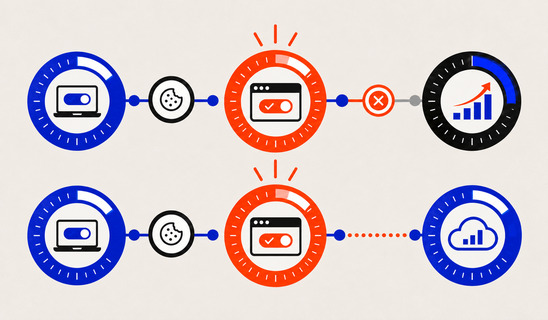
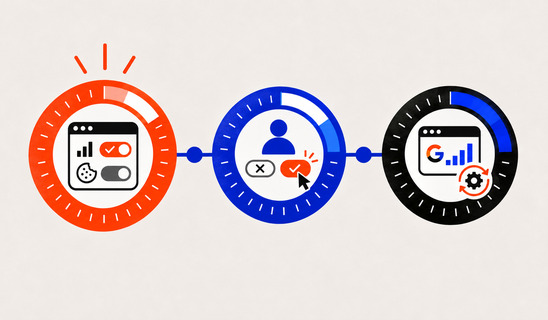
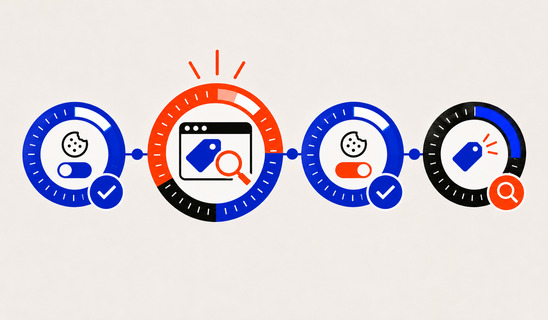
When visitors deny consent, you lose observed conversions. Modeling estimates part of that gap. Google says Advanced mode can support advertiser-specific conversion modeling from cookieless pings, while Basic mode uses a general model, and that tags must meet a data-collection threshold (Analytics Help).
For planning, that translates into three habits:
- Separate observed conversions from modeled estimates when explaining reporting changes to stakeholders.
- Compare platform conversion reporting with CRM outcomes, not with an expectation of perfect one-to-one attribution.
- Monitor eligibility, consent rates, and data volume before interpreting week-to-week campaign changes.
Implementing Consent Mode v2 step by step
Google’s implementation sequence, from the Tag Platform guide, is to set a default consent state before the visitor interacts, then update it from the visitor’s banner choice. You can do this with gtag.js consent commands or with Google Tag Manager’s consent APIs. A CMP or banner supplies the choice.
Step 1: Pick a banner or CMP that supports Google’s signals
Confirm it can set all four parameters, not only the original two. Many CMPs offer a Google Tag Manager template or built-in integration. Ask your vendor specifically about ad_user_data and ad_personalization.
Step 2: Set the default consent state first
The default must be in place before any Google tag fires. In Tag Manager, that means the consent initialization stage, ahead of your Google tag. In gtag.js, the default consent command comes before the config command.
Decide your defaults by region with your privacy lead. A common pattern is denied for regions that require opt-in and whatever your counsel approves elsewhere.
Step 3: Update consent when the visitor chooses
When the visitor accepts, rejects or customizes, your CMP issues an update command with the new values for each signal. Google requires that consent updates be tracked on the page where they occur, before the page transitions, so the Google tag can act on the update and future events can carry full measurement data (Tag Platform guide).
That requirement catches teams whose banner reloads the page or redirects. Test it explicitly.
Step 4: Map banner categories to signals
Your banner probably says “Marketing” and “Analytics”. Make the mapping deliberate:
- Analytics choice: Map to analytics_storage according to CMP definitions and approved purposes.
- Advertising storage choice: Map to ad_storage.
- Advertising user-data choice: Map to ad_user_data, rather than assuming it must always match ad_storage.
- Personalization choice: Map to ad_personalization and honor an independent opt-out where your CMP offers one.
Write the mapping down. It becomes your reference when someone asks why remarketing audiences shrank.
Step 5: Return visits
Make sure a returning visitor’s stored choice is restored as an update right at page load, so tags do not run on defaults for someone who already consented.
Want to learn more about Digital Marketing and Strategy? Keep reading!
If you need help with your company’s marketing, contact us for a free custom quote.
How to test your setup
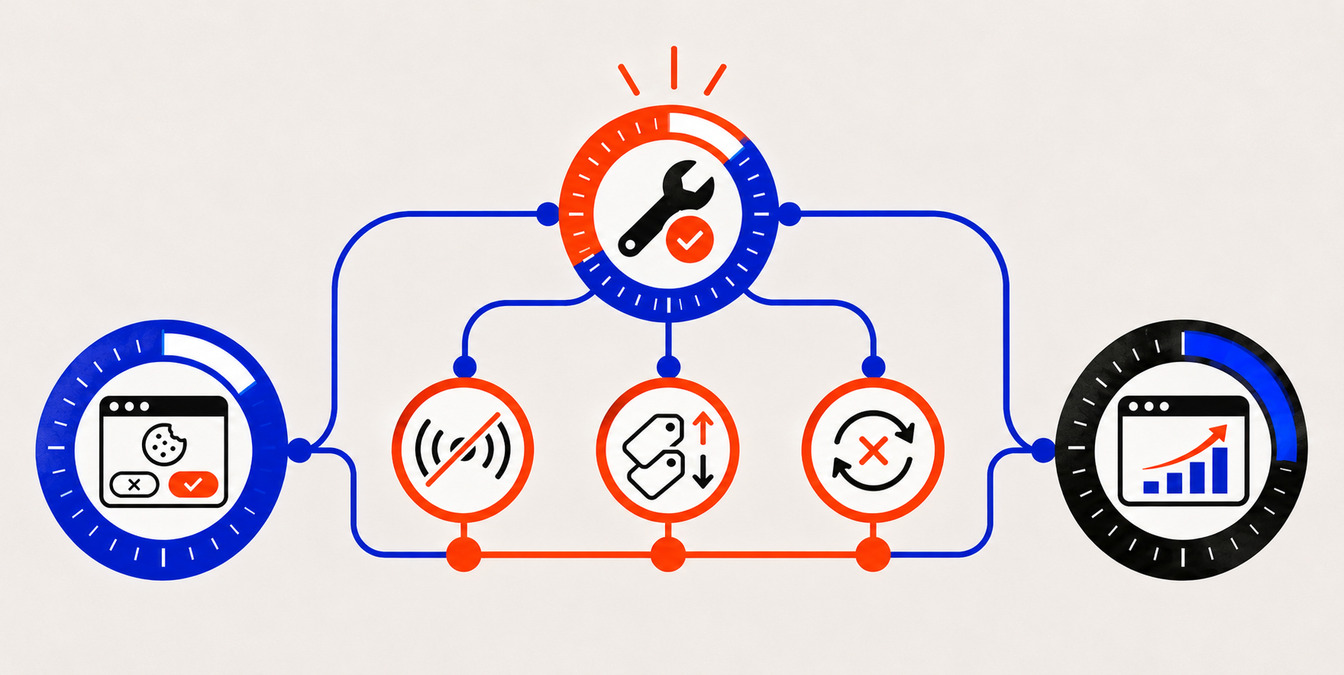
Use Google Tag Assistant, following Google’s verification guidance:
- Open a fresh session with consent cleared and inspect the initial default consent event.
- Reject optional categories; verify all four updated states and that tag behavior matches the chosen mode.
- Accept optional categories; verify that updated consent reaches the Google tags before conversion events.
- Test a customized choice, consent withdrawal, and a returning visit.
- Test region-specific defaults, including EEA visitors when applicable, and review unexpected tag firing in GTM Preview.
Google’s guidance is to check ad_storage, ad_personalization, ad_user_data and analytics_storage in both the default and update calls. If one is missing, that is the bug.
Be patient with reporting. The same page notes that Google Ads status can lag by 48 hours and sometimes up to two weeks, so do not conclude a setup is broken because a status has not flipped on day one.
Common implementation mistakes
- Loading Google tags before defaults are applied, creating unintended collection.
- Implementing only the two v1 signals and omitting ad_user_data or ad_personalization.
- Treating consent mode as a substitute for a legally appropriate CMP or banner.
- Failing to honor reject, customize, withdraw, and previously saved choices.
- Assuming Advanced mode is legally acceptable without privacy review.
- Using reporting changes as proof of a broken setup before validation and reporting delays are considered.
What this means for your paid media and measurement
Consent signals now sit upstream of your campaign performance. Remarketing audience size, conversion import quality and modeled conversions all depend on them. Three moves keep you stable:
- Keep first-party conversion reporting and CRM outcomes available as independent reference points.
- Document any expected audience-size or modeled-conversion changes and explain them to paid media stakeholders.
- Recheck consent after website deployments, tag changes, and CMP updates.
Our perspective
We see Consent Mode v2 as a measurement design decision, not a checkbox. The brands that handle it well treat consent as part of the customer experience: a clear banner, honest wording and a data pipeline that respects each choice.
That is the heart of brand-backed performance™. Trust earned at the banner shows up later as higher consent rates, healthier first-party audiences and more traceable results. A sloppy banner does the opposite: it damages brand perception and starves your campaigns of signal.
For growth-stage and VC-backed teams, we recommend a simple order of operations. Settle the legal posture with counsel. Implement all four signals in the right sequence. Verify in Tag Assistant. Then align paid media, retention and web teams around one source of truth for consent, so that every channel reads the same state.
Consent is not a tax on growth. Done well, it is the foundation of a full-funnel growth system you can defend in any board meeting.
– Quincy Samycia
Get consent and performance working together
Consent Mode touches your website, your tag stack and your paid campaigns at once. That is where an integrated team helps: web development that handles the banner and tag setup cleanly, and paid media that reads the resulting data correctly.
Our paid media management is available from $5,500 per month, and our website design and development work brings the front end and measurement together. You can see all published plans on our pricing page.
If you want a partner who connects brand, web and performance marketing under one plan, talk to The Branded Agency.
Frequently Asked Questions

Is Google Consent Mode v2 mandatory?
Google ties v2 to its enforcement of EU user consent policy, which requires advertisers to pass consent choices to Google for EEA users (Google Ads Help). If you serve EEA visitors, treat it as required for that traffic. For US-only audiences, ask your counsel what your banner needs under state law.
What is the difference between Consent Mode v1 and v2?
v2 keeps ad_storage and analytics_storage and adds ad_user_data and ad_personalization, introduced in Google’s November 2023 update (Tag Platform guide). The first new signal covers sending advertising-related user data to Google. The second covers personalized advertising.
How do I test Consent Mode v2?
Open Google Tag Assistant, check the earliest Consent event for default values across all four signals, then interact with the banner and check the latest Consent event for updated values. Confirm in the Tags tab that tags fired or were blocked correctly (Analytics Help). Allow for status delays in Google Ads.
Does Consent Mode replace my cookie banner?
No. Consent Mode passes the visitor’s choice to Google tags, but it does not collect that choice. You still need a banner or CMP to ask visitors and record their answer (Analytics Help).
Should I use Basic or Advanced mode?
Basic blocks Google tags until the visitor interacts with the banner and sends no data before consent. Advanced loads tags with defaults and sends cookieless pings, which supports advertiser-specific modeling. Pick based on your legal posture and how much modeled measurement you need.
Sources
- Google Tag Platform: Consent Mode : https://developers.google.com/tag-platform/security/guides/consent
- Google Tag Platform: Set up consent mode : https://developers.google.com/tag-platform/security/guides/consent
- Google Analytics Help: Consent mode overview : https://support.google.com/analytics/answer/9976101
- Google Ads Help: Consent mode: https://support.google.com/google-ads/answer/10000067

Quincy Samycia
As entrepreneurs, they’ve built and scaled their own ventures from zero to millions. They’ve been in the trenches, navigating the chaos of high-growth phases, making the hard calls, and learning firsthand what actually moves the needle. That’s what makes us different—we don’t just “consult,” we know what it takes because we’ve done it ourselves.
Want to learn more about brand platform?
If you need help with your companies brand strategy and identity, contact us for a free custom quote.
We do great work. And get great results.
+2.3xIncrease in revenue YoY
+126%Increase in repurchase rate YoY




+93%Revenue growth in first 90 days
+144% Increase in attributed revenue




+91%Increase in conversion rate
+46%Increase in AOV




+200%Increase in conversion rate
+688%Increase in attributed revenue