

What Happens if Webflow Goes Down? Contingency & Fallback Plans
10/29/2025
Web Design / Web Dev
Prepare for Webflow downtime with a practical plan for monitoring, incident response, backups, and tested fallback options that reflect your website’s needs.

What happens if Webflow goes down? The impact depends on which service is affected. An interruption to editing or publishing may leave your live website accessible, while hosting, domain, or integration problems can prevent visitors from viewing pages or completing important actions. Start by checking Webflow’s status page and testing your own website’s critical functions. Confirm what is failing, who needs to respond, and how your team will communicate updates. A useful Webflow downtime plan goes beyond keeping a backup. It defines what needs protection, how recovery will work, and which fallback options have been tested. This guide explains how to prepare for interruptions, understand backup limitations, and prioritize access to essential information and customer contact channels.



Why Uptime Matters for Every Business Website



Website uptime is the time your site remains available to visitors. When access is interrupted, customers may be unable to research your services, submit an inquiry, book an appointment, or complete a purchase.
Availability also extends beyond whether the homepage loads. A website can appear online while a form, search tool, or booking integration fails. Your continuity plan should cover the actions customers depend on, alongside the pages they visit.
For a Webflow website, preparation starts with identifying critical functions, assigning response responsibilities, and deciding how customers will receive updates or contact you during an interruption.
At The Branded Agency, we help businesses assess these requirements as part of Webflow website planning and development. The goal is to reduce avoidable disruption and establish a practical response when problems occur.
How Reliable Is Webflow Hosting?
Managed Hosting on AWS and Cloudflare
Webflow’s current hosting documentation identifies AWS infrastructure and Cloudflare’s global content delivery network, rather than Fastly as the universal provider referenced in older material.
Webflow lists traffic scaling, SSL/TLS certificates, and DDoS protection among its managed hosting capabilities. These features support availability and security, but they do not eliminate every potential outage or protect against failures in all connected services. See Webflow’s hosting documentation.
Your domain provider, custom code, and external tools remain part of the website’s overall reliability.
Uptime Commitments and Status Monitoring
An uptime commitment is different from a measured record of availability. Webflow advertises a 99.99% uptime service-level agreement for Enterprise customers. Review your agreement for the services covered, measurement period, exclusions, and available remedies. That commitment should not be presented as a universal guarantee for every Webflow plan. Webflow’s Enterprise hosting information outlines the published offering.
During an incident, check the official Webflow status page for affected services and updates. Distinguish between problems with editing, publishing, and delivery of the live website: an interruption to one does not necessarily mean all three are unavailable.
Pair platform status updates with independent monitoring of your own domain and critical customer journeys. A platform-wide status page may not reveal a problem isolated to your website or an external integration.
What Can Make a Webflow Website Unavailable?
Investigate the affected service before assuming Webflow hosting is responsible. Possible sources of disruption include:
- Hosting or CDN incidents: Visitors may encounter errors or difficulty loading pages and assets.
- Domain and DNS problems: An expired domain or incorrect DNS configuration can prevent visitors from reaching the website.
- Certificate issues: HTTPS problems can produce browser warnings or block access.
- Third-party service failures: Booking tools, search services, payment providers, or API connections may stop working while the website remains accessible.
- Site changes: A deployment, redirect configuration, or custom script can break a page or important interaction.
- Editing or publishing interruptions: Your team may be unable to make updates even while existing pages remain live.
These scenarios require different responses. Restoring a previous site version will not resolve a provider-wide outage, and changing DNS without diagnosing the problem can complicate recovery.
How Quickly Can Service Be Restored?
There is no single recovery time that applies to every Webflow incident. Resolution depends on the cause, the affected systems, and who controls the fix.
Use confirmed incident updates to communicate what is known. If no restoration estimate is available, explain the current impact, provide any working alternative contact method, and state when your team will share its next update.
A useful downtime plan defines what your team will do while service is interrupted, rather than relying on an assumption that every issue will resolve within minutes.
Free Brand Health Audit
Make sure your brand is built to sell
Search has changed. Your customers aren't just Googling anymore. They're asking ChatGPT, Perplexity, Gemini and other AI platforms what to buy, who to trust and which brands they should consider.
If your brand isn't showing up clearly in those answers, you're already losing opportunities. Our free Brand Health Audit shows you where your brand stands across traditional search, AI search and brand positioning.

Sample brand audit
Live preview
Traditional search
72
AI search (GEO)
34
Brand positioning
58
What Happens During a Webflow Outage?




A Webflow outage can affect editing, publishing, live hosting, or specific website functions. The first step is to identify which services are affected and what visitors can still access.
Check your live website alongside the official Webflow status page. Test important actions, such as submitting an inquiry or opening a booking tool, rather than relying only on whether the homepage loads.
Published Websites vs. Editing and Publishing Access
An interruption to Webflow’s design tools, dashboard, or publishing services does not necessarily take a published website offline. Existing pages may remain accessible while your team cannot log in, edit content, or publish changes.
However, continued availability depends on the incident. CDN delivery does not guarantee that every page or function will remain accessible.
Record the difference between what visitors can do and what your team can manage. That distinction helps determine whether you need customer communications, an alternative contact method, or simply to postpone website updates.
Regional Delivery and Domain Problems
An availability problem may affect some visitors while others can access the site normally. Possible causes include regional network issues, CDN disruptions, or DNS configuration problems.
Before changing settings:
- Test the website from more than one network or location.
- Record affected URLs, error messages, and timestamps.
- Check recent domain, DNS, and publishing changes.
- Compare your observations with provider status updates.
Different results across locations do not automatically identify the cause. DNS propagation following a configuration change is also different from a confirmed CDN outage.
Incident Updates and Recovery Expectations
Use Webflow’s incident notices to confirm the affected services and follow recovery updates. If your issue is not covered by an existing incident, provide support with reproducible examples and the checks already completed.
There is no reliable recovery window that applies to every outage. Avoid promising customers that service will return within 10–30 minutes unless the provider has supplied a relevant estimate.
For Enterprise customers, follow the support and escalation procedures in your agreement. Keep your agency’s response commitments separate from Webflow’s responsibility to restore its services.
Agency-Level Webflow Contingency Planning
A useful contingency plan defines what is monitored, what is backed up, who responds, and which alternatives have been tested. These services should be explicitly included in the support agreement.
When choosing a Webflow development partner, ask how the proposed plan addresses your critical customer journeys and operational needs.
Uptime Monitoring and Alerts
Independent monitoring can help detect problems with your domain or important pages. Functional checks can also test whether a key action succeeds.
Define the monitoring scope before relying on it:
- Which pages and functions are checked.
- How frequently checks run and from which locations.
- What triggers an alert.
- Who receives alerts during and outside business hours.
- Who investigates and communicates updates.
A successful homepage response does not prove that forms or integrations work. Alerts also depend on check frequency and confirmation rules, so detection should not be described as instantaneous.
Content, Asset, and Configuration Backups
Separate Webflow restore points from independent recovery copies.
Webflow’s built-in backups support restoring earlier versions of a site within the platform. They can help address unwanted site changes, but they are not an independently hosted replacement during a platform outage. Restoring also has implications for certain settings and data, which should be reviewed before proceeding. See Webflow’s backup and restoration documentation.
An independent recovery plan may include:
- CMS content exports.
- Copies of essential images and downloadable files.
- Eligible code exports and custom-code documentation.
- Records of DNS settings, redirects, and integration dependencies.
- Secure access arrangements for authorized responders.
Choose backup frequency according to how much recently changed content the business could afford to recreate. Verify that the files are usable: a content export is not automatically a complete, working website, and asset links are not substitutes for independent copies of the assets.
Emergency Hosting and Static Fallback Pages
A standard Webflow code export does not produce a complete backup of a functioning CMS website. Webflow’s export documentation excludes CMS content and functionality, and features such as native form processing, search, and password protection do not carry over as working services. Review Webflow’s code-export limitations before planning emergency hosting.
For some businesses, a separately hosted fallback page is more practical than recreating the entire website. It could provide essential service information, a phone number, and an alternative inquiry method.
Prepare and test that fallback before an incident. Confirm:
- Essential content and assets load independently.
- Contact methods work without the affected services.
- HTTPS and domain arrangements are ready.
- Someone has authority and access to activate it.
- The team knows how to return visitors to the primary site.
If activation requires a DNS change, allow for caching and propagation delays. Document what the fallback can support, what remains unavailable, and when using it would be justified.
Want to learn more about Website Design, Development and E-commerce? Keep reading!
If you need help with your company’s website and development, contact us for a free custom quote.
Fallback Scenarios and Workarounds
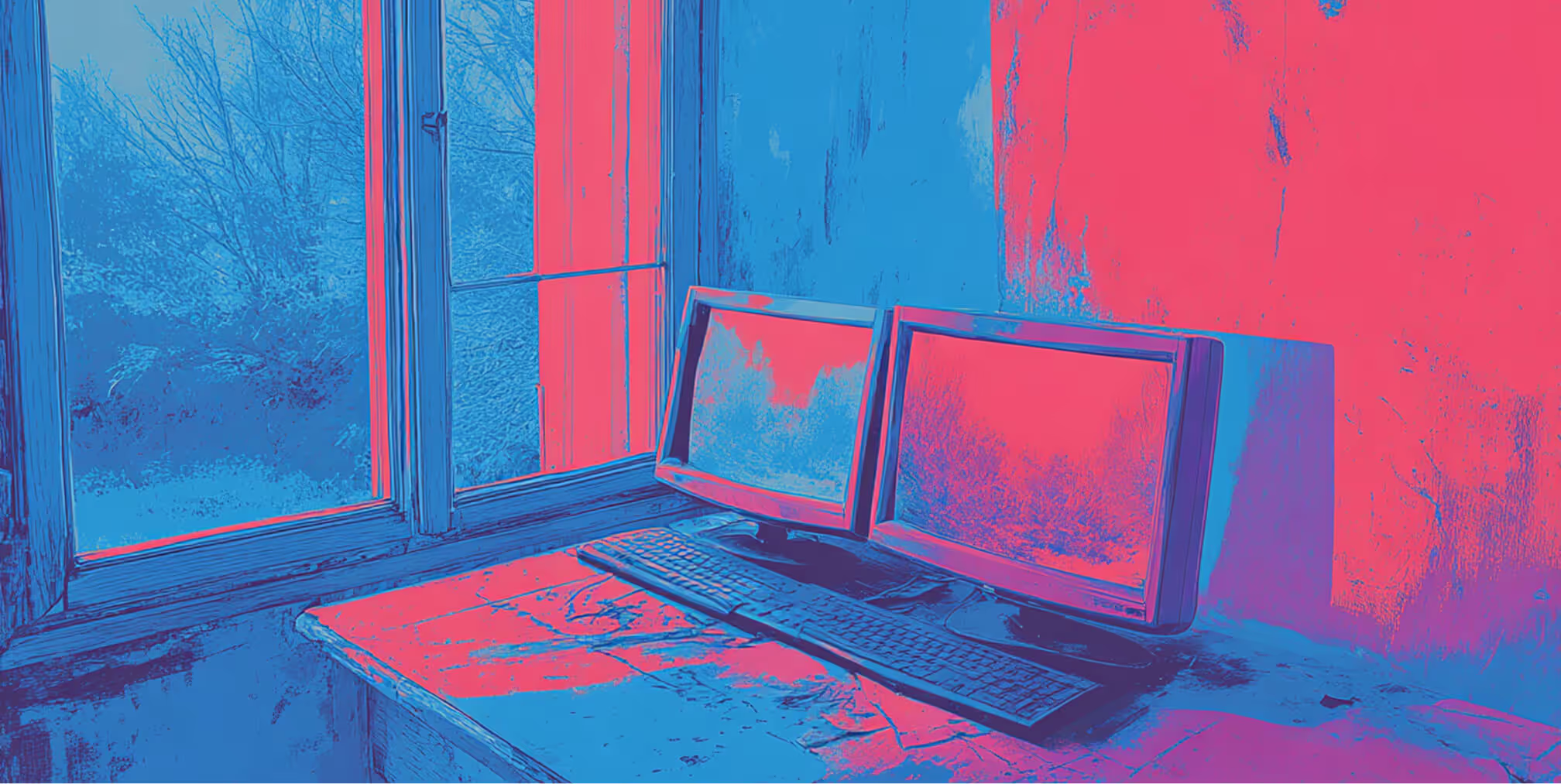
A Webflow fallback plan should keep essential information or contact options available when the primary website cannot serve them. The appropriate response depends on what has failed, how long the interruption lasts, and which alternatives are already prepared.
A broken booking integration may need an alternative inquiry method. A hosting outage may require a separately hosted page. An editing interruption may require no visitor-facing change at all.
Temporary Domains, Redirects, and DNS Changes
A backup domain only helps if customers can reach it. Prepare an independently hosted destination and decide how it will be shared or activated before an incident.
Distinguish between two approaches:
- HTTP redirects: A functioning server or edge service sends visitors to another URL. A redirect configured within an unavailable hosting service may not execute.
- DNS failover: Domain records direct visitors to an alternative host. This requires a prepared destination, valid HTTPS configuration, and allowance for DNS caching.
For a temporary move, use an appropriate temporary redirect, such as a 302 or 307, where technically supported. A permanent redirect signals a different intention. See Google’s guidance on redirects.
Avoid improvising domain changes during an incident. Document who can authorize the switch, how it will be tested, and how the original setup will be restored.
Cached Pages Are Not a Complete Fallback
A browser or CDN may retain previously downloaded content, but cached assets do not guarantee a functioning website. Availability depends on what was cached, whether it remains usable, and whether the delivery system can serve it during the incident.
Even if a page displays, its forms, search, or live data may still fail. First-time visitors may also have no browser-cached content.
Treat caching as part of normal delivery infrastructure. For business-critical continuity, prepare an independent fallback with the essential content and functions already tested.
Temporary Maintenance Pages and Search Visibility
If your fallback only displays an outage notice, its technical response should reflect temporary unavailability. Where you control the responding server, a 503 Service Unavailable response can communicate a short interruption to search engines while displaying useful information to visitors.
Google recommends this approach for brief shutdowns and warns that extended unavailability can affect indexing. Review Google’s guidance on temporarily disabling a website.
Keep unaffected content available where possible. Avoid replacing every URL with the same generic page returning a successful response, and have your technical team validate the fallback’s status codes before deployment.
Communication With Clients and Customers
Assign one person to coordinate incident updates and keep the message consistent across support, marketing, and technical teams.
Each update should explain:
- What is currently affected.
- What customers can still do.
- Any working alternative contact or service option.
- When the next update will be provided.
Share a restoration estimate only when there is a credible basis for it. A scheduled communication update is something your team can control; a third-party provider’s recovery time may not be.
Use a communication channel that remains accessible independently of the affected website. After recovery, verify key customer journeys before announcing that normal service has resumed.
Building a Long-Term Webflow Continuity Plan
Set Recovery Priorities and Targets
Start by identifying the functions the business needs most urgently. Contact information, service notices, inquiry forms, and transactions may have different recovery priorities.
Define two planning targets:
- Recovery time objective: How quickly you aim to restore an acceptable level of service.
- Recovery point objective: How much recent data or content change you can tolerate losing.
These are targets to design and test against, not automatic guarantees. A website updated several times daily may need a different backup schedule from one that changes monthly.
Schedule Independent Backups and Document Recovery
Create a backup schedule that reflects content changes and business risk. Depending on the site, independent recovery copies may include CMS exports, essential assets, eligible code exports, and configuration records.
Do not assume that a CMS CSV or code export can be published elsewhere as a complete website. Document the additional work required to recreate content and replace dependent functionality.
Your recovery guide should identify:
- The incident owner and backup contact.
- Where recovery files are stored.
- Who has authorized access to hosting and domain accounts.
- How to activate and validate the fallback.
- How to restore the primary service.
- How to reconcile inquiries or updates collected during the interruption.
Restrict access appropriately and keep recovery instructions available outside the affected platform.
Define Support Responsibilities and Service Commitments
Separate Webflow’s platform commitments from your agency’s support obligations. An agency can define monitoring, response, escalation, and communication responsibilities, but it cannot independently guarantee when Webflow will resolve an outage.
A support agreement should specify coverage hours, severity levels, response targets, escalation contacts, and which recovery tasks are included. Clarify whether “response time” means acknowledging an alert, beginning an investigation, or restoring service.
Our guide to questions to ask a Webflow agency can help you evaluate these responsibilities before choosing a support partner.
Test the Plan and Update It After Changes
Run a controlled recovery exercise before relying on the plan. Confirm that the fallback loads, essential assets are available, contact methods work, and authorized staff can complete the required steps.
Repeat relevant checks after major changes to forms, integrations, domains, or site architecture. After an incident, record what failed, what worked, and what should change.
A tested continuity plan gives your team a clearer response path and a realistic understanding of what can be restored when normal service is interrupted.
FAQs About Webflow Downtime and Contingency Planning

1. How reliable is Webflow’s hosting?
Webflow provides managed hosting using AWS infrastructure and Cloudflare’s global CDN, with features including SSL/TLS certificates and DDoS protection.
Webflow advertises a 99.99% uptime SLA for Enterprise customers, subject to contractual terms. This is not a universal historical uptime figure or a promise that every interruption will resolve within minutes. Review Webflow’s hosting documentation and your applicable agreement.
2. What happens if Webflow goes down?
The impact depends on which service is affected. An editing or publishing interruption may prevent website updates while existing pages remain accessible. A hosting incident may affect visitors, while a form or integration failure may interrupt only specific actions.
Check the affected services and test your own website before deciding how to respond.
3. Can visitors still access my website during a Webflow outage?
Sometimes. Published pages may remain available during an interruption to editing or publishing tools. However, a hosting, CDN, or domain problem can prevent access.
Cached content does not guarantee that a complete page or its interactive features will work. Test important URLs and customer actions from more than one network or location.
4. How should agencies prepare for Webflow downtime?
An agency’s contingency plan should define monitoring, alert recipients, backup procedures, escalation contacts, and recovery responsibilities. Where justified, it should also include a tested fallback for essential information or contact options.
Confirm which services are included in your support agreement. Backups and monitoring help teams respond, but they do not guarantee uninterrupted website availability.
5. What is a static backup, and can it replace my Webflow website?
A static backup contains files such as HTML, CSS, JavaScript, and assets that can potentially be hosted separately. However, a standard Webflow code export does not include populated CMS content or working equivalents of every platform feature.
Emergency hosting requires preparation and testing. Review Webflow’s export limitations before treating an export as a recovery solution.
6. How quickly does Webflow recover from outages?
There is no single recovery time that applies to every incident. Resolution depends on the affected systems, the cause, and the work required to restore service.
Follow the official Webflow status page for incident updates. Communicate confirmed information and your next update time rather than promising recovery within an unsupported timeframe.
7. How does website downtime affect customer trust?
Downtime can create frustration when customers cannot access information or complete an action. Unclear communication can add to that frustration.
Explain what is affected, provide a working alternative where possible, and share updates consistently. These actions support brand reputation by helping customers understand what they can do while service is interrupted.
8. Can Webflow outages affect SEO?
Yes. Persistent unavailability can affect crawling and indexing. The impact depends on the duration, affected URLs, and responses search engines receive; there is no guaranteed risk-free outage window.
For brief unavailability, Google recommends an informational page with a 503 response where you control the server. Keep unaffected content accessible and avoid blanket redirects or indexing blocks. Follow Google’s temporary website shutdown guidance.
9. Do I need an SLA with my Webflow agency?
A documented service agreement is useful when your business needs defined support coverage and escalation procedures. The appropriate level depends on how costly an interruption would be.
Clarify monitoring hours, response targets, communication responsibilities, and included recovery work. An agency’s response commitment is separate from Webflow’s platform SLA and does not automatically guarantee a restoration deadline.
10. How can I prepare my Webflow website for unexpected downtime?
Identify critical customer journeys, assign incident owners, establish monitoring, and maintain usable recovery copies outside the platform. Prepare an independent communication channel and test any fallback before relying on it.
Review the plan after major website or integration changes. A Webflow development partner can help scope the technical work and support responsibilities around your business needs.
Webflow Reliability Starts With a Tested Continuity Plan
A practical downtime plan helps your team respond when website services are interrupted. Monitoring, usable backups, tested fallback options, and clear communication can reduce disruption, but they cannot eliminate every outage.
Start with the functions your customers depend on. Define who responds, what can be restored, and how visitors will reach essential information while recovery is underway. Review those arrangements as your website and integrations change.
At The Branded Agency, we help businesses plan Webflow websites around their brand, operational requirements, and ongoing management needs.
If you’re reviewing your website’s reliability, contact us to discuss the monitoring, maintenance, and continuity support your organization requires.

Quincy Samycia
As entrepreneurs, they’ve built and scaled their own ventures from zero to millions. They’ve been in the trenches, navigating the chaos of high-growth phases, making the hard calls, and learning firsthand what actually moves the needle. That’s what makes us different—we don’t just “consult,” we know what it takes because we’ve done it ourselves.
Want to learn more about brand platform?
If you need help with your companies brand strategy and identity, contact us for a free custom quote.
We do great work. And get great results.
+2.3xIncrease in revenue YoY
+126%Increase in repurchase rate YoY




+93%Revenue growth in first 90 days
+144% Increase in attributed revenue




+91%Increase in conversion rate
+46%Increase in AOV




+200%Increase in conversion rate
+688%Increase in attributed revenue







