Webflow SEO: How to Fully Optimize Your Webflow Site for Search Engines in 2026

07/27/2026

Web Design / Web Dev
Learn how to optimize your Webflow website for SEO with actionable strategies that improve search rankings, increase organic traffic, and turn your site into a consistent lead generation engine.

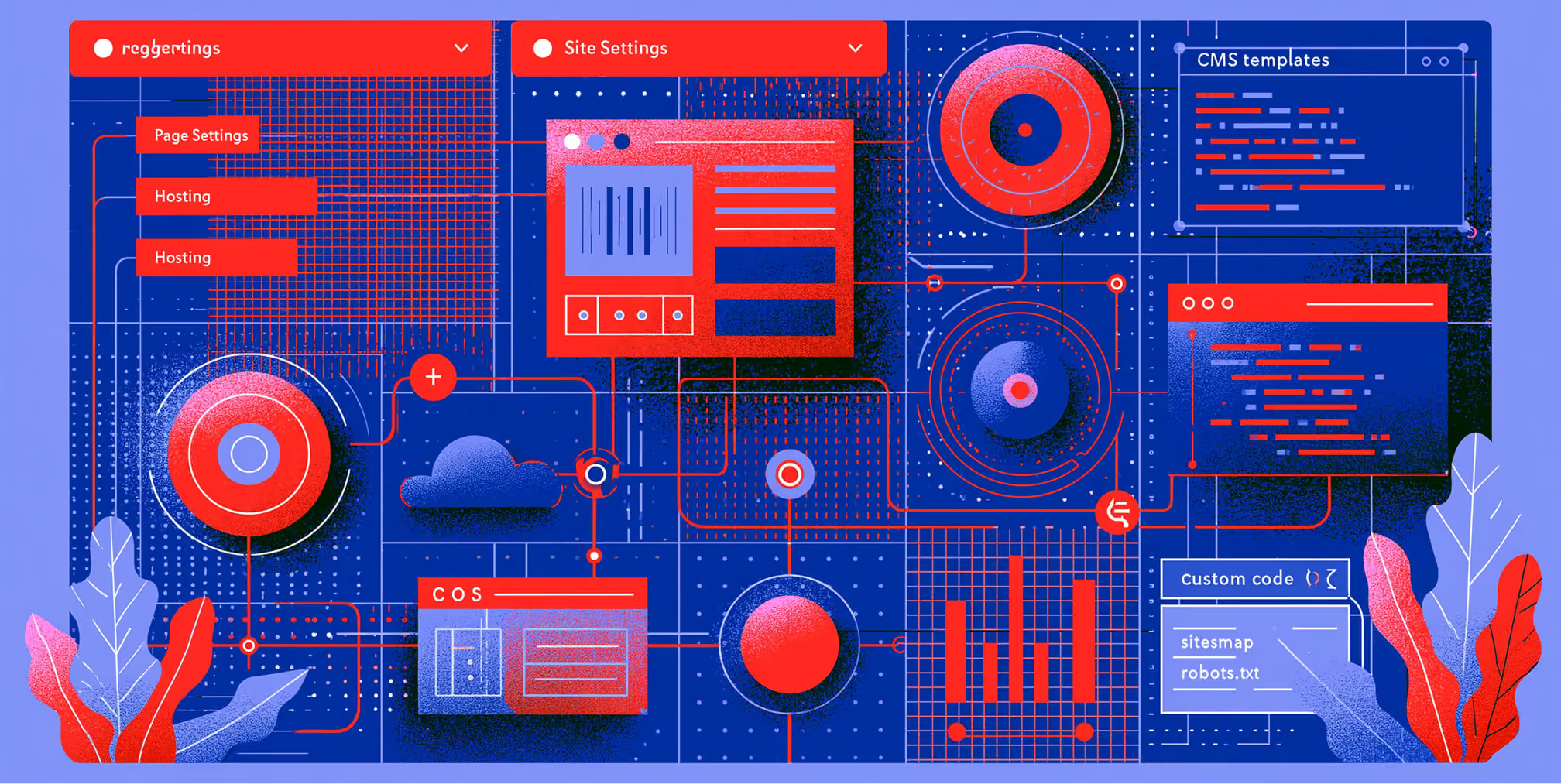
Webflow SEO settings, CMS templates, and custom code.

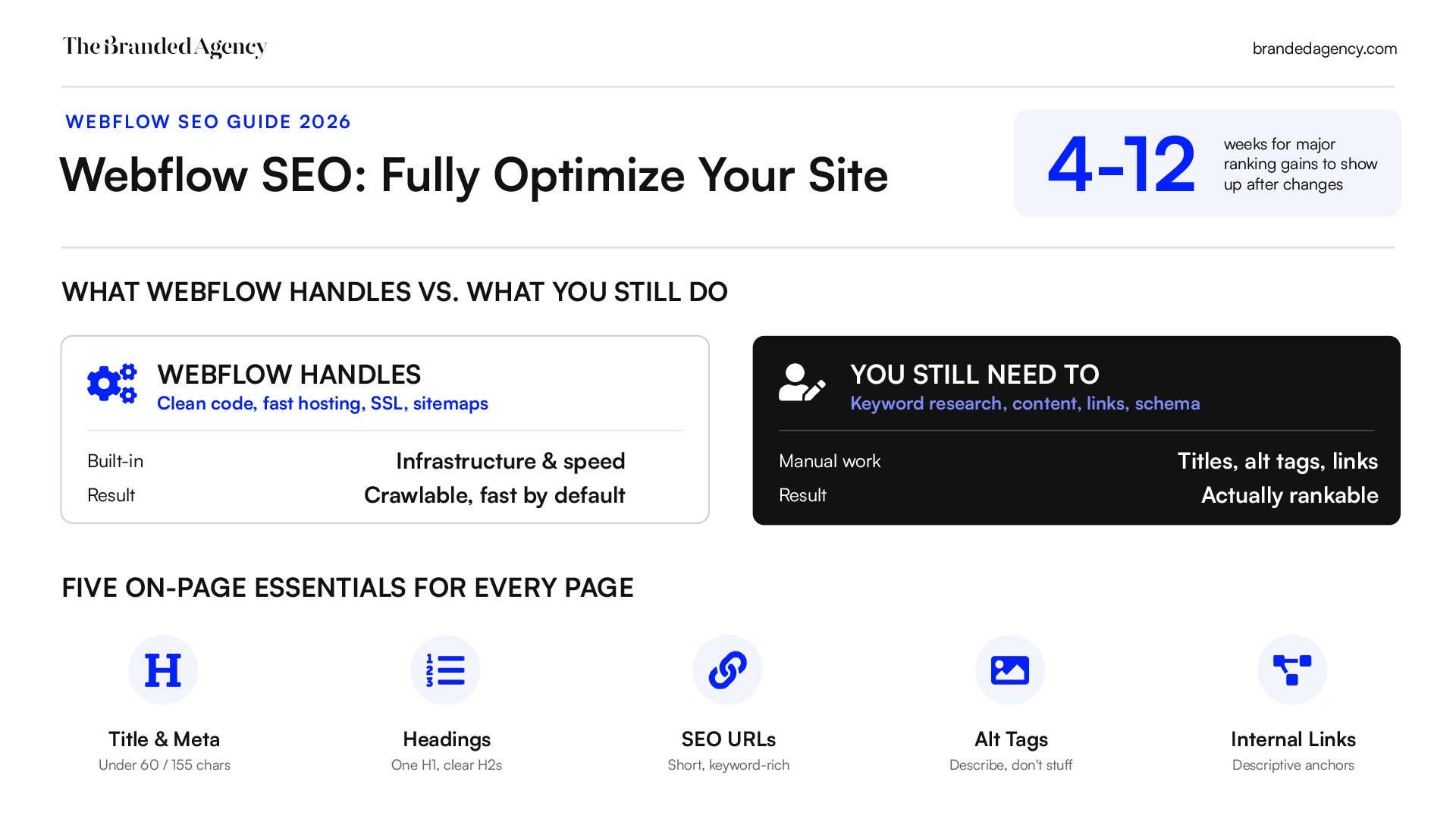
Webflow is a strong platform for SEO in 2026 because it combines clean code, fast hosting, and built-in control over the technical settings that influence search visibility. But strong performance does not happen automatically. To get real results, teams still need to configure key SEO settings correctly, create useful content, build internal links, add structured data, and regularly monitor site health. This guide explains exactly where Webflow helps, where manual optimization is still required, and how to get the most out of the platform.

Quincy Samycia
Play IconPause Icon
0:00
0:00

Why Webflow Is Good for SEO

Webflow SEO checklist and site optimization workflow.
Connected Webflow pages and CMS elements.
SEO headings, alt text, and internal links.
No items found.

Key Takeaways

  • Webflow is good for seo because it outputs clean code, uses fast hosting, and gives granular control over title tags, meta descriptions, URLs, and alt tags.
  • This guide shows the exact Webflow menus to use, including Page Settings, Site Settings, Hosting, CMS templates, and custom code.
  • A fully optimized Webflow site still needs manual work: keyword research, page content, internal links, schema, and regular site audits.
  • In 2026, strong seo performance depends on speed, mobile friendly design, structured data, and clean indexation rules.
  • The FAQ covers common Webflow SEO questions around apps, indexing time, migrations, staging domains, and backlinks.

Webflow gives marketers and founders a powerful visual interface to build pages without fighting plugin bloat. But Webflow SEO only works when you configure the right settings, write useful content, and monitor performance over time.

Is Webflow Good for SEO in 2026?

Webflow generates clean code that is easy for any major search engine crawler, including Google, Bing, and DuckDuckGo, to crawl and index. Its source code is usually lighter than many plugin-heavy setups, which helps search engines process the structure of your web pages.

Compared with WordPress or Wix, Webflow’s seo capabilities are especially strong for teams that want direct control over on page seo without relying heavily on plugins. You can manage seo settings, slugs, redirects, canonical tags, alt text, and open graph tags directly inside the platform.

Since Google’s move to mobile-first indexing and Core Web Vitals updates from 2021 through 2026, Webflow’s fast hosting, responsive web design, and visual control have become a positive seo factor when configured correctly. Google prioritizes mobile-friendly websites in search rankings, meaning that a responsive design can improve usability, reduce bounce rates, and ensure accessibility for a broader audience. Websites that aren’t mobile-friendly may experience lower rankings and higher bounce rates, highlighting the importance of responsive design for SEO.

That said, Webflow does not “do SEO for you.” To make a webflow site fully optimized, you still need to set up title tags, meta descriptions, URLs, alt tags, internal links, and schema. Webflow is optimized for search engines and requires configuration of specific technical, structural, and content-driven features to maximize its native potential.

The rest of this article is practical and specific to webflow websites, not generic advice.

Set Up Core On‑Page SEO in Webflow

Webflow metadata and keyword optimization interface.
Webflow URL structure and search optimization.
Website heading hierarchy with H1, H2, and H3 tags.
Technical SEO tools, redirects, and image compression.

On page seo for Webflow means customizing seo titles, meta descriptions, headings, URLs, page content, and internal links on individual pages. These basics are what search engines read first when deciding how to understand and rank your content.

To enhance visibility in search engines, implement target settings within Webflow Designer and Project Settings. For example, a SaaS homepage might target “workflow automation software,” while a blog post published in 2026 might target “webflow seo checklist.”

Optimize Titles and Meta Descriptions for Every Page

Every indexable page needs a unique SEO title and meta description under Pages → select page → Page Settings → SEO. Meta titles and descriptions are HTML elements that summarize a page’s content for search engines and users, appearing in search results and influencing click-through rates (CTR).

A well-optimized meta title should be under 60 characters to avoid truncation in search results, while meta descriptions should ideally be between 150-155 characters for optimal display. As a rule, keep seo titles around 50–60 characters, write meta descriptions around 140–160 characters, and include one primary keyword plus one or two natural variations. Google truncates longer titles, so avoid wasting space.

Use Webflow’s snippet preview to see how titles and meta descriptions may appear in google search and other search engine results. Google may still rewrite your title and description, but a strong meta title and description gives it better source material.

For Webflow CMS items, bind Collection Fields to your CMS template. A blog formula could be:

  • SEO Title: {{Name}} | Webflow SEO Tips 2026
  • Meta Description: {{Summary}}

Using compelling meta descriptions can significantly increase click-through rates, as they serve as an advertisement for the page, encouraging users to click over competitors’ links. A better title and description can bring more customers from the same ranking position.

Use a Clear Heading Structure (H1–H3) on Webflow Pages

Each Webflow page should have exactly one H1, supported by H2s and H3s. Using semantic header tags (H1, H2, H3) helps organize content and is important for SEO. Using a logical header hierarchy (H1-H6) improves content structure, making it easier for both users and search engines to read and understand the content.

Do not style normal text to “look big” and assume it works the same way. Use Webflow’s Heading element in the webflow designer so the code contains actual heading tags.

A simple page seo outline might look like this:

  • H1: Webflow SEO Checklist
  • H2: On Page SEO in Webflow
  • H3: Titles and Meta Descriptions
  • H2: Technical SEO Settings
  • H3: XML Sitemap and Canonical Tags

Put the main keyword or close variation in the H1, then use related keywords in H2s and H3s. Clear headings also help AI Overviews and Featured Snippets extract concise answers.

Craft SEO‑Friendly URLs and Slugs in Webflow

Edit static page slugs in Page Settings → slug field. For dynamic content, edit the “Slug” field in CMS Collections.

Creating clear and intuitive page URLs is essential; a well-structured URL is short, descriptive, and includes relevant keywords, making it easier for users and search engines to understand page content. A well-structured URL is short, descriptive, and includes relevant keywords, making it easier for users and search engines to understand page content, which enhances SEO. Creating clear and intuitive page URLs that are short, descriptive, and include relevant keywords can enhance user experience and improve SEO by helping search engines understand page content.

Use:

  • /webflow-seo-guide
  • /blog/webflow-seo-2026

Avoid:

  • /post-123
  • /my-awesome-blog-post-about-webflow-seo

Using clean, keyword-rich URL slugs is recommended for SEO optimization in Webflow sites. When restructuring an existing site or launching a new website, map old URLs to new slugs with 301 redirects. Using 301 redirects ensures users and search engines are directed to the correct page when URLs change or old pages are removed, preserving link equity and improving user experience.

Write Descriptive Alt Tags for All Important Images

Alt tags help search engines and screen readers understand image content. Adding descriptive alt text to images improves website accessibility for visually impaired users and helps search engines index images for relevant searches.

In Webflow, select an image → Settings panel → Alt text field, or manage global image assets through the assets panel. Screen readers rely on text descriptions, and screen readers rely on accurate alt text to describe visuals to users who cannot see them.

Good alt text: “Webflow SEO dashboard showing site audits for 2026 campaign.”

Bad alt text: “SEO SEO SEO Webflow rank higher keywords.”

Decorative images can use empty alt attributes. Optimized alt tags also help Google Images and other image search engines provide users another way to discover your page.

Configure Site‑Wide Technical SEO Settings in Webflow

Webflow’s site settings and Hosting tabs control technical seo factors like sitemaps, robots.txt, SSL, redirects, minification, and performance. These settings help search engines crawl, index, and trust your entire domain.

A well-structured site improves user experience, reduces bounce rates, and boosts SEO by ensuring search engines can efficiently crawl and index all your pages. A clear, logical navigation system helps users find content easily and improves how search engines crawl and index your pages. A navigation menu is a set of links that helps users move through a website, and a well-organized menu improves user experience and helps search engines understand site structure.

Enable SSL (HTTPS) and Security Features

SSL is a confirmed trust signal and a lightweight ranking signal. In Webflow, go to Project Settings → Hosting → SSL → Enable SSL, then republish.

Webflow provides free SSL certificates for both the webflow.io subdomain and custom domains. Force HTTP to HTTPS to avoid duplicate URL versions in search engine indexes.

If SSL is off, visitors may see browser warnings. That damages trust, engagement, and seo performance.

Use Clean Code, Minification, and Fast Hosting

Webflow already outputs relatively clean code compared with many drag-and-drop builders, which is good for seo. You can improve loading speed further by activating minification for CSS, JavaScript, and HTML in Hosting settings.

Minification removes unnecessary characters from CSS, JavaScript, and HTML files, making them smaller and improving site speed, which is crucial for SEO.

Compressing images reduces file sizes without sacrificing quality, which helps websites load faster and improves both user experience and SEO rankings. Compressing images reduces file sizes without sacrificing quality, helping websites load faster and improving both user experience and SEO rankings. Using the WebP image format maintains high quality while compressing images into smaller file sizes, allowing web pages to load faster and saving storage space. Webflow allows for the conversion of images to next-gen formats to improve site performance and load speeds.

Use image compression before upload, keep heavy multimedia under control, and test important templates in Google PageSpeed Insights. Heavy multimedia can degrade Core Web Vitals, which is an important factor for organic search positioning. Faster load time improves UX and can help pages rank higher.

Manage Robots.txt and Search Engine Indexing Rules

Edit robots.txt in Project Settings → SEO → robots.txt custom field. This txt file tells crawlers what they can access.

A safe basic example:

User-agent: *
Disallow: /admin/
Disallow: /test/
Allow: /

Use the site’s robots rules to block staging areas or private paths, not important content. Robots.txt controls crawling, not indexing. For pages that should not appear in search results, use noindex through page settings or custom code.

Blocking the entire site by mistake can cause sudden traffic drops.

Leverage XML Sitemaps and Canonical Tags

Webflow can auto-generate an XML sitemap at /sitemap.xml. Keep it enabled in Project Settings → SEO unless you have a specific advanced reason to turn it off. Auto-generated XML sitemaps in Webflow help search engines discover new content efficiently.

Submit https://yourdomain.com/sitemap.xml in Google Search Console and Bing Webmaster Tools. Webflow’s native tools automate indexing and enhance accessibility for better search engine performance.

Use Project Settings → SEO → Canonical URL for a global canonical tag. Add canonical tags with custom head code when individual pages need a unique preferred URL. Canonical tags can prevent duplicate content issues by specifying a preferred URL for search engines. This consolidates signals when similar pages, parameters, or duplicated versions exist.

Want to learn more about Website Design, Development and E-commerce? Keep reading!

If you need help with your company’s website and development, contact us for a free custom quote.

Webflow SEO for Content & Blogs

Sitemap submission to search engine webmaster tools.

The webflow cms is powerful for content marketing, but it needs repeatable patterns. Keyword research is essential for identifying the words and phrases that users search for, which helps optimize content to improve visibility in search results, especially when combined with AI tools to boost website traffic.

Well-structured blog content can rank in Google, Bing, and AI-driven search experiences.

Design SEO‑Friendly CMS Collections

Create a “Blog Posts” Collection with fields for:

  • Name
  • Slug
  • Summary
  • Featured image
  • Publish date
  • SEO override title
  • SEO description
  • Canonical URL if needed

Map those fields into the template page’s seo settings:

  • SEO Title = {{Name}} | BrandName
  • Meta Description = {{Summary}}

Use logical Collection paths like /blog/ or /resources/. Add categories and tags to support internal linking and topical clusters, but noindex thin tag pages if they create duplicate content.

Structure Webflow Blog Posts for Search and Users

A strong Webflow blog template usually includes an H1 with the main keyword, a short intro, table of contents, H2 sections, H3 subpoints, internal links, and FAQs, and the same principles apply when designing high-converting landing pages for campaigns.

Each post should target one intent. For example, a “Webflow SEO in 2026” guide is informational, while a “Webflow SEO agency pricing” page may be transactional.

Use short paragraphs, bullet lists, and direct answer blocks. Refresh older content at least annually. A 2024 post may need updated screenshots, examples, and references in early 2026, and many teams now rely on AI content tools that boost output to keep large libraries fresh.

Add contextual internal links to services, case studies, and tools using descriptive anchor text. A clear link helps users and search engines understand the next step.

Optimize Open Graph and Social Sharing in Webflow

Open graph settings control how pages appear on LinkedIn, X, Facebook, and other platforms. In each Page’s SEO tab, you can inherit from the SEO title/description or set a custom OG Title, OG Description, and OG Image.

Strong open graph tags do not directly replace rankings, but they can drive more clicks, shares, brand searches, and backlinks.

Use consistent image dimensions, readable visuals, and clear branding. For large sites, Webflow Marketplace tools can bulk-audit open graph images, but manually check top pages.

Tracking, Auditing, and Improving Webflow SEO Over Time

Webflow SEO does not end after launch. Search engines change often, and the google algorithm keeps raising expectations for helpful content, crawl efficiency, HTTPS, speed, and mobile devices.

Regular technical audits via tools like Google Search Console are recommended for maintaining Webflow site performance.

Connect Google Search Console and Submit Your Webflow Sitemap

Google Search Console is a free tool that helps monitor and optimize a website’s presence in search results, providing insights into indexing, performance, and issues affecting visibility.

At a high level:

  1. Verify your domain property.
  2. Submit https://yourdomain.com/sitemap.xml.
  3. Review indexing, queries, clicks, and experience reports.
  4. Use URL Inspection after important updates.

Check for soft 404s, blocked resources, redirect chains, and mobile usability problems. Mirror the same process in Bing Webmaster Tools to reach other search engines.

Integrate Google Analytics 4 (GA4) with Webflow

Add your GA4 Measurement ID in Project Settings → Integrations → Google Analytics, then republish.

Analytics tools like Google Analytics track visitor behavior, traffic sources, and engagement, providing valuable insights that help optimize websites for better user experience and SEO performance.

Set up events for forms, button clicks, and key conversions. Segment “Organic Search” traffic so you can measure seo metrics separately from ads and referrals.

Setting up Google Tag Manager allows for managing marketing, analytics, and tracking scripts without editing site code, improving page speed and enabling better tracking of SEO metrics.

Run Regular Webflow Site Audits and Fix Common Issues

A site audit is a systematic review of SEO, content, and performance issues across all Webflow pages.

Run quarterly site audits for active sites. Check for:

  • Missing title tags
  • Duplicate meta descriptions
  • Broken links
  • Missing alt text
  • Slow CMS templates
  • Redirect chains
  • Unused animations or CSS
  • Incorrect canonical tags

Use Screaming Frog, Ahrefs, Semrush, Search Console, and Webflow views. Keep a changelog so you can connect fixes to traffic shifts and track rankings over time.

Advanced Webflow SEO: Schema, Localization, and AI‑Driven Search

Webflow SEO audit showing site performance issues.

Once the basics are in place, advanced Webflow SEO helps you compete for rich results and AI visibility. Focus on structured data, localization, and content formats that optimize for other search engines and AI answer engines.

Some advanced work requires custom code or Webflow Marketplace apps.

Implement Schema Markup on Key Webflow Pages

Schema markup helps search engines understand entities, FAQs, reviews, products, and articles. Custom schema markup can provide search engines with additional context about the content, enhancing rich snippets.

Add JSON-LD in Page Settings → Custom Code → Inside <head> tag.

Start with:

  • Organization schema on the homepage
  • Article schema on blog posts
  • FAQPage schema for FAQ sections
  • Product schema for ecommerce pages

Keep structured data accurate when prices, availability, authors, or dates change. Validate with Google’s Rich Results Test and monitor Search Console Enhancements.

Localize Webflow SEO for Multiple Languages and Regions

Webflow Localization and manual multi-language setups let you create different URLs, seo titles, and meta descriptions per locale.

Use hreflang tags to tell search engines which language or regional version to show. For example, English and German pages should have localized URLs, copy, metadata, and schema.

Do not rely only on machine translation. Local rankings improve when content is culturally relevant and useful.

Prepare Webflow Content for AI Overviews and Featured Snippets

AI Overviews and Featured Snippets reward clear structure. Use question-based headings like “Is Webflow good for SEO?” and answer in two or three direct sentences.

Add bullet lists, numbered steps, definitions, FAQs, and how-to sections. This makes it easier for Google and AI systems to extract answers.

Monitor Search Console performance for pages designed for snippets. Compare CTR against standard articles. If Google thinks your content gives the best concise answer, your potential visitor may see your page before clicking any standard blue link.

FAQ: Webflow SEO in 2026

These FAQs cover Webflow SEO questions not fully answered above.

Do I need SEO plugins or apps to rank a Webflow site?

No. Webflow includes most essential controls: titles, meta descriptions, alt tags, redirects, sitemaps, robots.txt, SSL, and CMS seo settings. Apps can help with bulk alt text, schema, or rank tracking, especially for large sites, but success depends more on content quality, structure, and ongoing optimization.

How long does it take for Webflow SEO changes to show up in search results?

Most title and meta description changes appear in Google within a few days to a few weeks, depending on crawl frequency. New pages may index within hours or several days after submission in Search Console. Larger ranking gains often take 4–12 weeks.

Can I migrate an existing site to Webflow without losing SEO?

Yes, but plan carefully. Export existing URLs, match them to new Webflow slugs, and set 301 redirects in Project Settings → Hosting → 301 Redirects. Keep title tags, meta descriptions, and primary content stable during launch, then resubmit the sitemap and monitor performance for 8–12 weeks.

How do I stop my Webflow staging domain from hurting my SEO?

Webflow’s default webflow.io staging domain can cause duplicate content if indexed. Use Project Settings → SEO controls, robots.txt rules, or noindex settings to prevent indexing. Keep backlinks and promotion focused on the primary custom domain.

Is Webflow SEO enough for competitive keywords, or do I still need backlinks?

Webflow’s clean code and on-page controls are necessary, but competitive keywords still need backlinks, brand mentions, and authority. Internal linking helps distribute authority, but it cannot fully replace external links. Combine Webflow best practices with long-term content and digital PR.

Start with native Webflow settings, measure results every month, and improve the pages that already show traction. That is the simplest path to a faster, cleaner, and more search-ready Webflow site in 2026.

An image of the author Quincy Samyica

Quincy Samycia

As entrepreneurs, they’ve built and scaled their own ventures from zero to millions. They’ve been in the trenches, navigating the chaos of high-growth phases, making the hard calls, and learning firsthand what actually moves the needle. That’s what makes us different—we don’t just “consult,” we know what it takes because we’ve done it ourselves.

Want to learn more about brand platform?

If you need help with your companies brand strategy and identity, contact us for a free custom quote.

We do great work. And get great results.

DrTung’s
Breathed new life into a storied oral care brand with a smarter site and marketing for scalable growth.

+2.3x
Increase in revenue YoY

+126%
Increase in repurchase rate YoY

READ MORE
DrTung’s oral care product image with a smiling man, tooth powder tabs, and activated charcoal floss.
Smartphone on a textured blue surface displaying a DrTung’s ad with the text “Make the Switch” and an image of a woman holding herbal tooth powder tabs.
Flat lay of DrTung’s oral care products, arranged with a blue pouch on white tile.
DrTung’s Activated Charcoal Floss packaging arranged in a repeating pattern on a bright blue background.
DrTung’s oral care product image with a smiling man, tooth powder tabs, and activated charcoal floss.
Smartphone on a textured blue surface displaying a DrTung’s ad with the text “Make the Switch” and an image of a woman holding herbal tooth powder tabs.
Flat lay of DrTung’s oral care products, arranged with a blue pouch on white tile.
DrTung’s Activated Charcoal Floss packaging arranged in a repeating pattern on a bright blue background.
Mary Louise Cosmetics
Scaled a heritage-inspired clean beauty brand with modern performance marketing and farm-to-face storytelling.

+93%
Revenue growth in first 90 days

+144%
Increase in attributed revenue

READ MORE
Mary Louise Lilac & Shea Body Butter jar with creamy texture and lavender sprigs on a beige surface.
A Mary Louise Miracle Serum bottle with a dropper cap, lying on a bed of small yellow flowers.
Mary Louise body butter promotional print materials with product photography and skincare application imagery.
Mary Louise Miracle Serum bottles arranged in a close-up pattern with pale yellow dropper caps.
Mary Louise Lilac & Shea Body Butter jar with creamy texture and lavender sprigs on a beige surface.
A Mary Louise Miracle Serum bottle with a dropper cap, lying on a bed of small yellow flowers.
Mary Louise body butter promotional print materials with product photography and skincare application imagery.
Mary Louise Miracle Serum bottles arranged in a close-up pattern with pale yellow dropper caps.
Eyecart
Made eye care feel modern, then marketed it like a DTC darling—with the results to match.

+91%
Increase in conversion rate

+46%
Increase in AOV

READ MORE
Eyecart optical care campaign image with a smiling woman holding a branded magnifying lens over one eye.
Eyecart billboard campaign featuring Blephaclean eye care wipes and healthy eye care messaging.
Multiple laptop screens display the Eyecart website, showcasing product pages and banners promoting eye care items.
Eyecart outdoor campaign posters featuring eye care products, skincare visuals, and modern branding.
Eyecart optical care campaign image with a smiling woman holding a branded magnifying lens over one eye.
Eyecart billboard campaign featuring Blephaclean eye care wipes and healthy eye care messaging.
Multiple laptop screens display the Eyecart website, showcasing product pages and banners promoting eye care items.
Eyecart outdoor campaign posters featuring eye care products, skincare visuals, and modern branding.
Lucky Girl Rosé
We turned a zero-carb rosé into a lifestyle brand that makes every moment worth celebrating.

+200%
Increase in conversion rate

+688%
Increase in attributed revenue

READ MORE
A bottle of Lucky Girl rosé wine nestled among pink and white flowers in a rustic outdoor setting.
Lucky Girl rosé picnic setup with wine bottle, fruit, sunglasses, and The Lucky Club booklet.
Lucky Girl rosé campaign visual with a wine glass, gold tray, red nails, and Pour Yourself Some Luck text.
Lucky Girl rosé wine bottle with floral label design and soft pink lifestyle styling.
A bottle of Lucky Girl rosé wine nestled among pink and white flowers in a rustic outdoor setting.
Lucky Girl rosé picnic setup with wine bottle, fruit, sunglasses, and The Lucky Club booklet.
Lucky Girl rosé campaign visual with a wine glass, gold tray, red nails, and Pour Yourself Some Luck text.
Lucky Girl rosé wine bottle with floral label design and soft pink lifestyle styling.